Bible OnAir(바이블온에어)
Easy-to-use Bible prompter
Bible-OnAir-Setup-2.0.0.exe
Overview
Ever had to find and put a verse on screen in the middle of a service?
An unexpected reading need not throw you. Bible OnAir sends the passage out in a few keystrokes.
Key features
Simple output setup
Choose the display the passage goes to — a second monitor or a projector — in a couple of clicks.
Fast passage selection
Select book, chapter and verse in turn to set the range. A search shortcut (Ctrl + F) is available as well.
Several display modes
One verse, several verses, or continuous scroll — pick whichever suits the moment in the service.
Stage and switch
A single key switches between sending the passage out and holding it back.
Favourites and backup
Register the passages you use often and recall them instantly. Import and export the list as JSON to back it up or share it.
Automatic updates
New features and releases are announced and installed automatically.
Bible OnAir(바이블온에어) in use
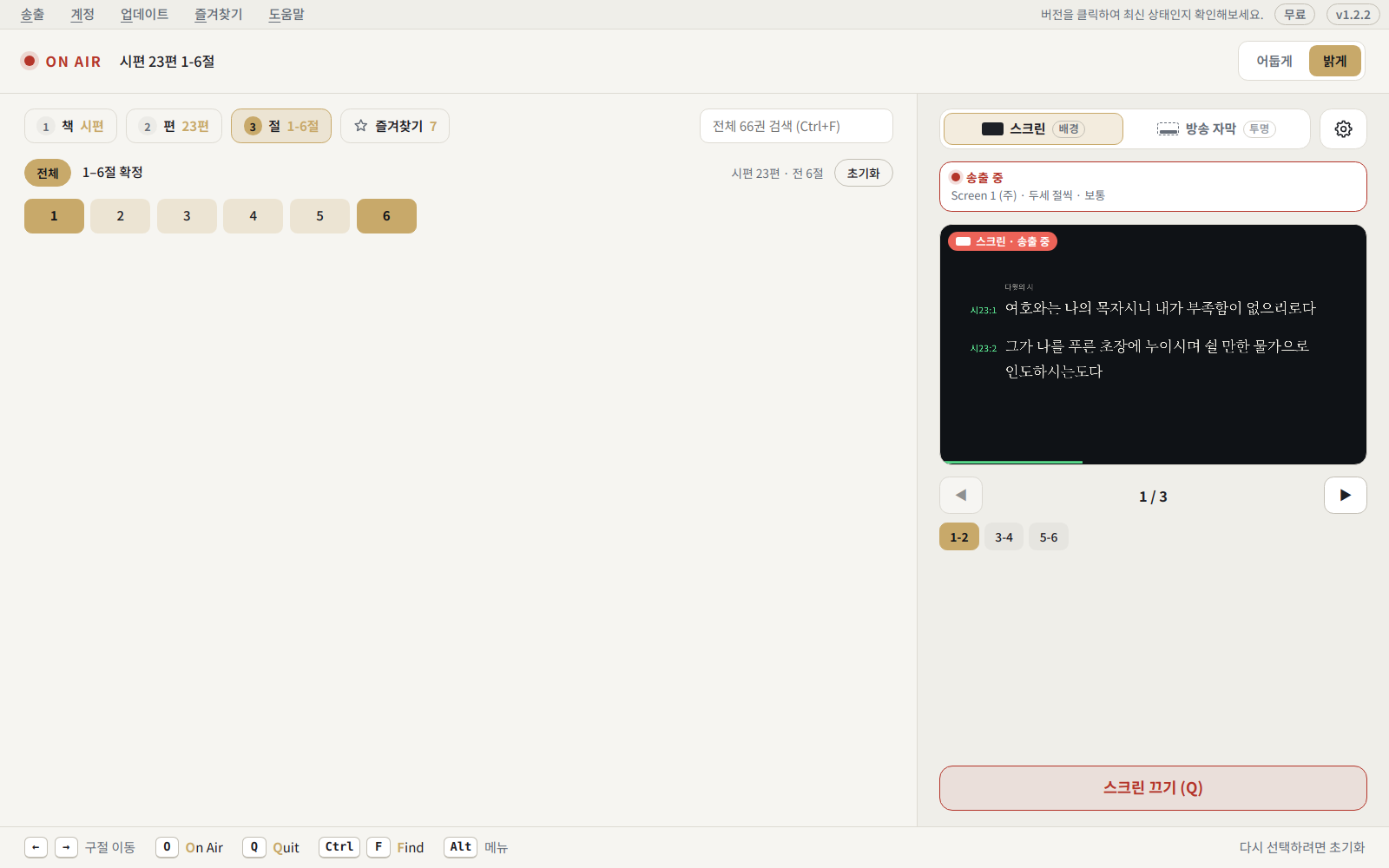
Control window — select a passage on the left, preview the output on the right.
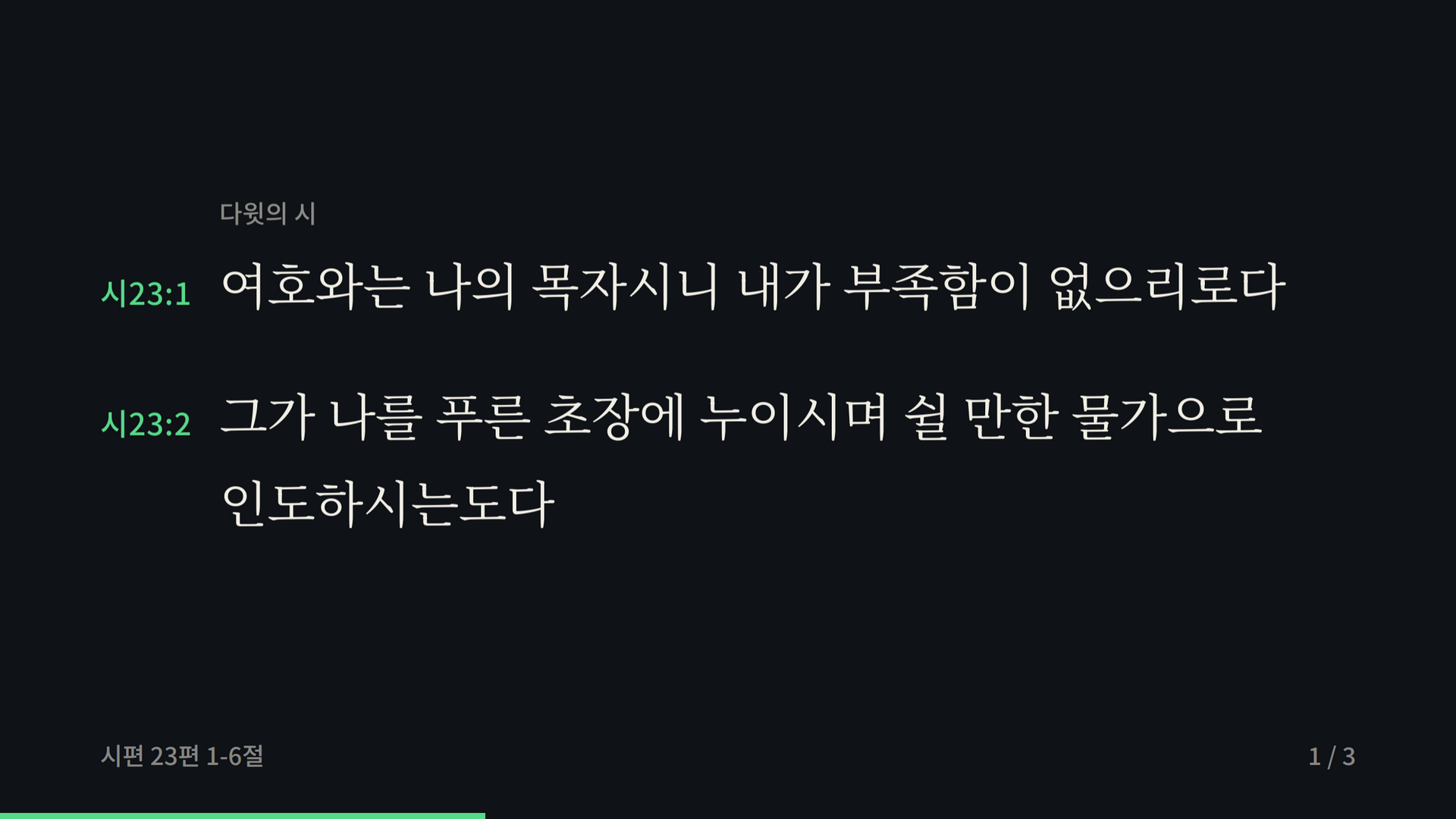
Output screen — the selected passage, large on the projector or second monitor.
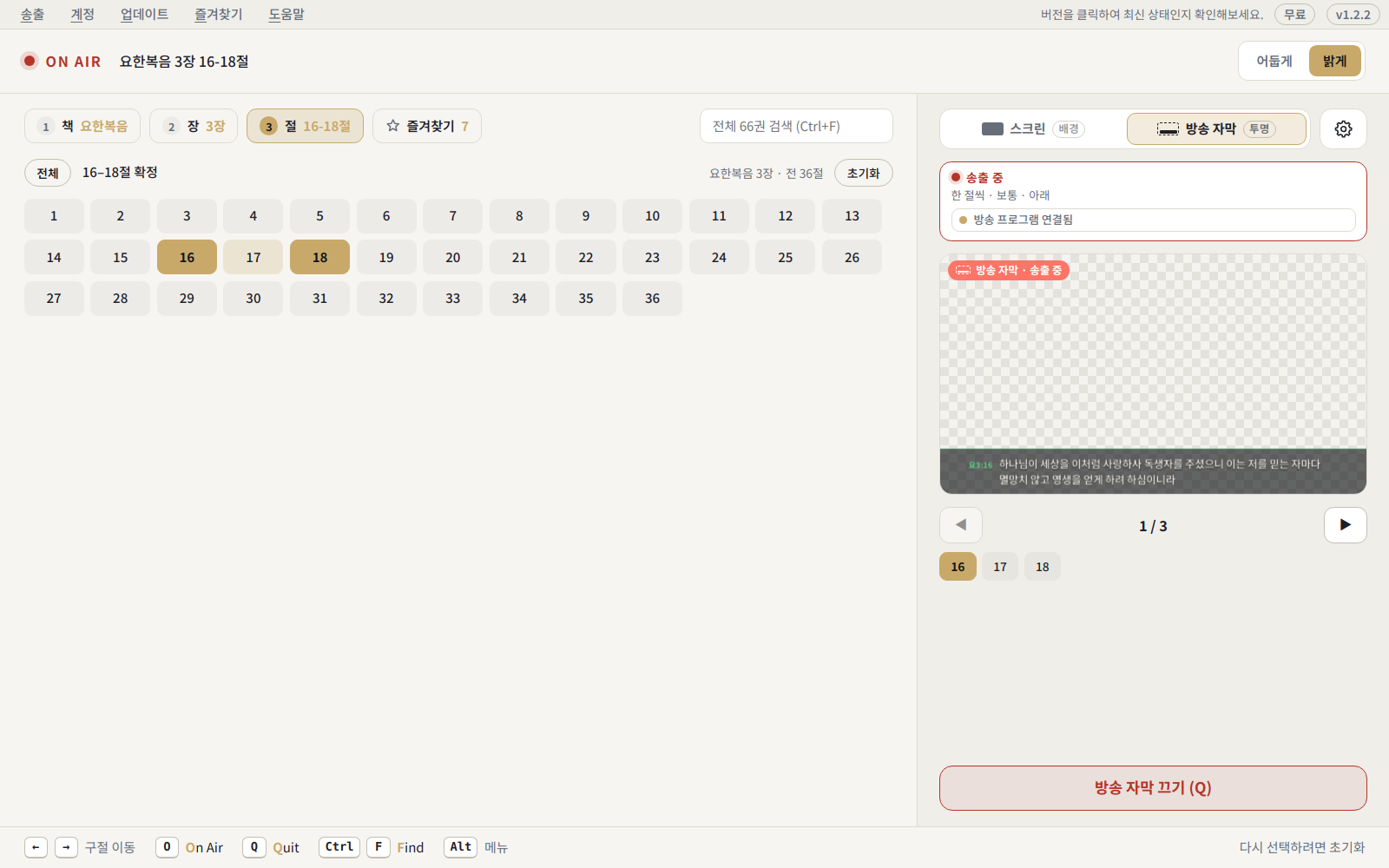
Broadcast captions — switch the output to captions and send them to software such as vMix.
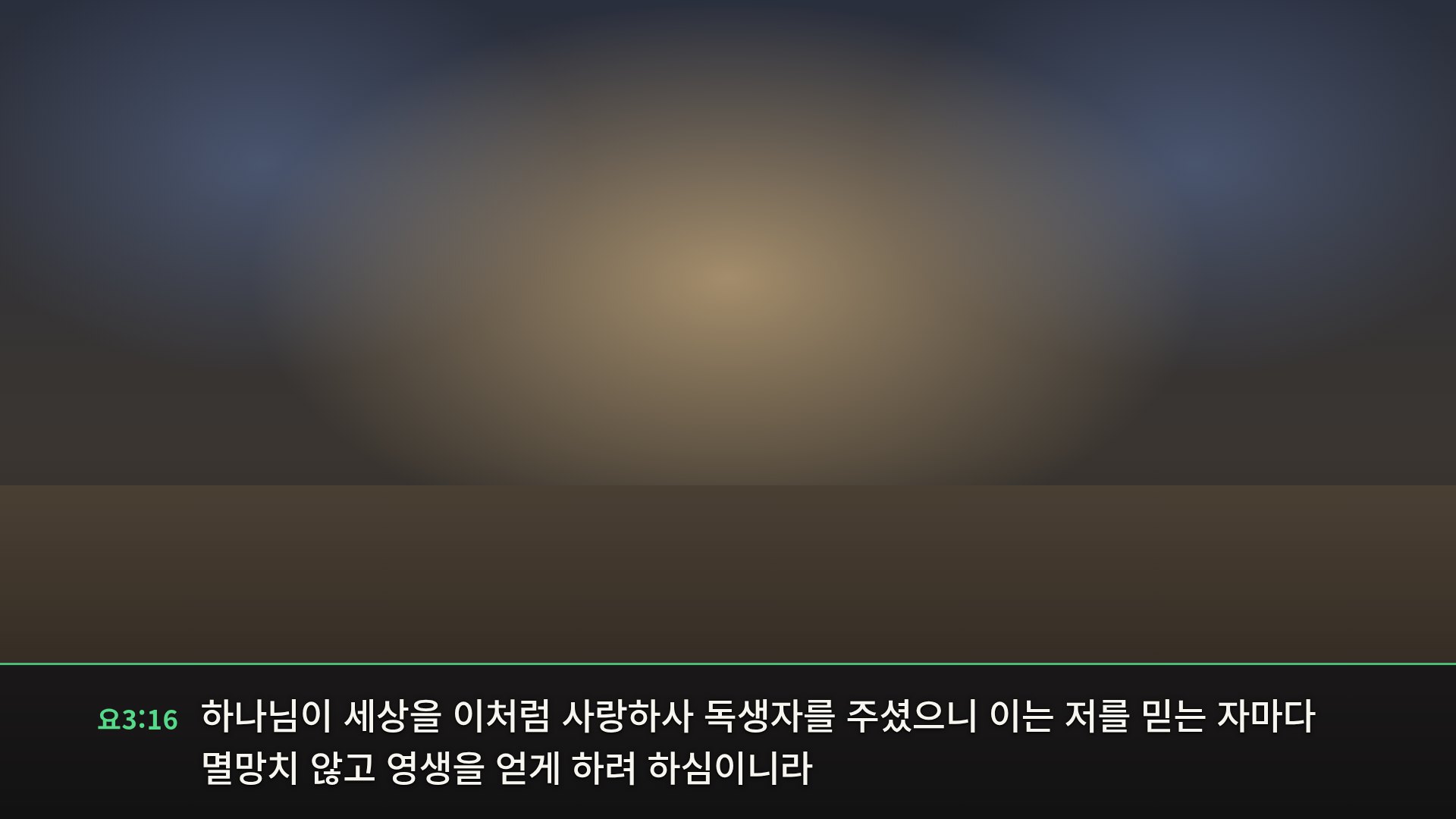
Caption overlay — just the caption band on a transparent background, laid over the video. (Background is illustrative.)
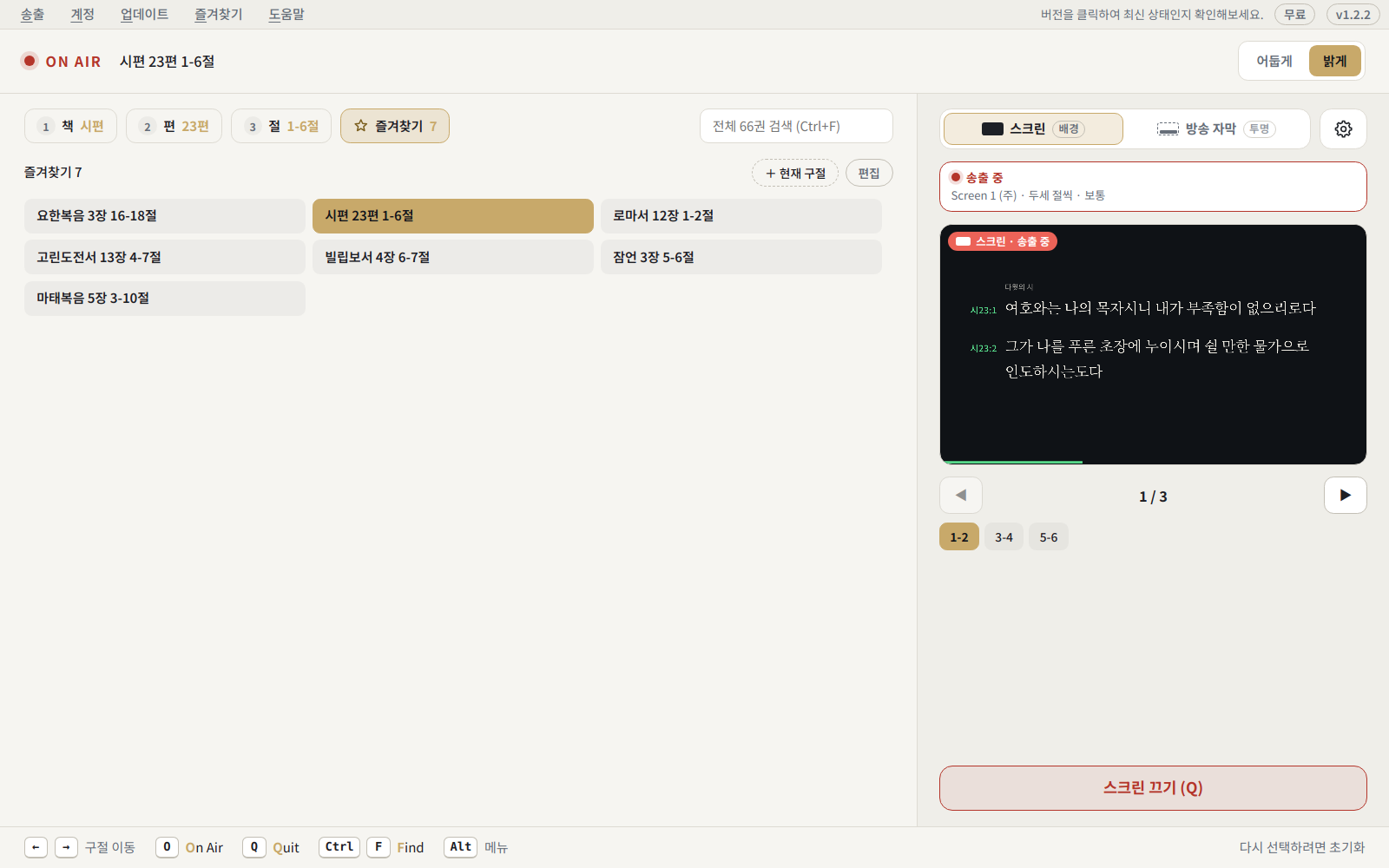
Favourites — keep the passages you use often and recall them in one click.
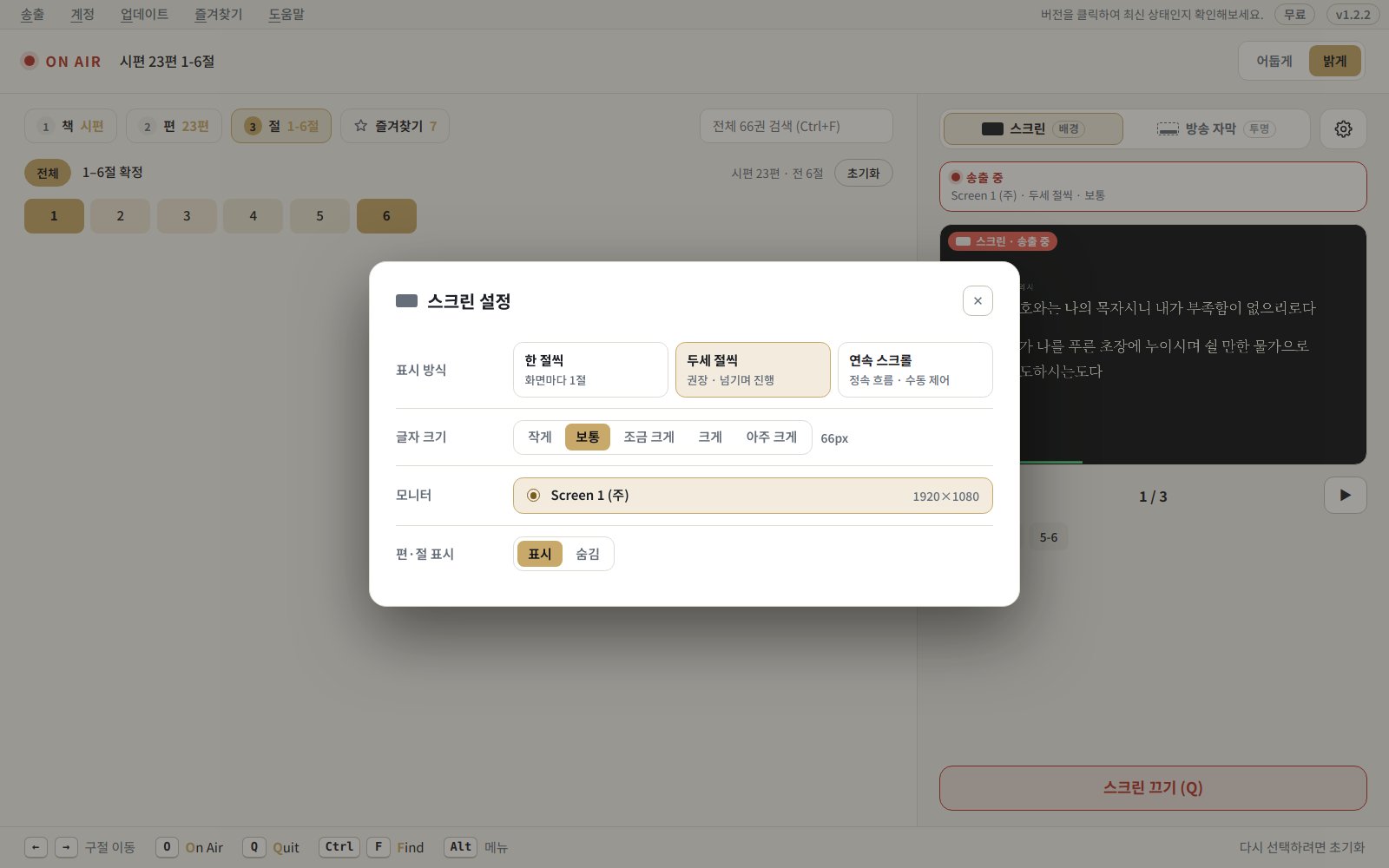
Screen settings — choose the display mode, type size and output monitor.
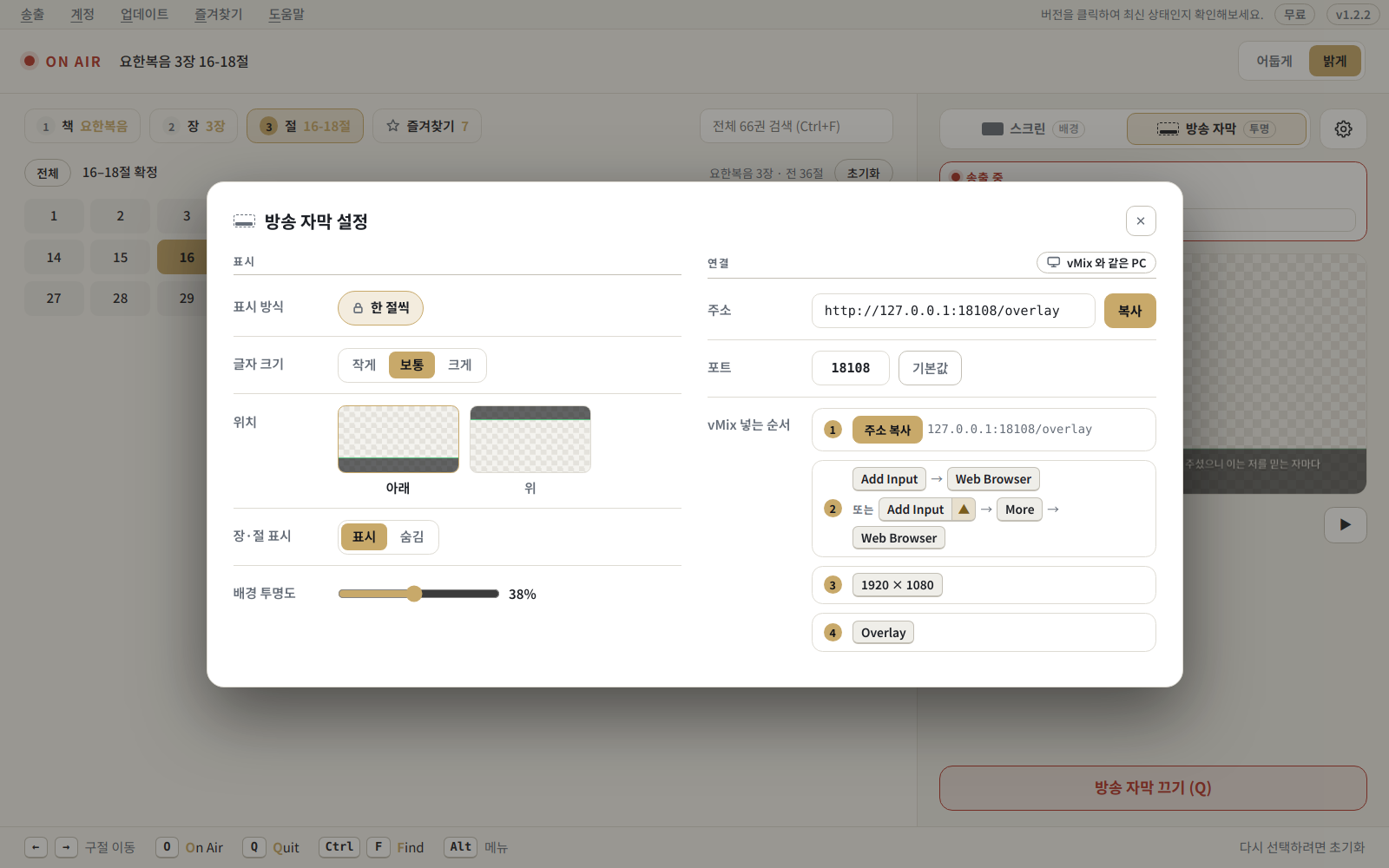
Caption settings — set type size, position and background opacity, with vMix setup steps.
Releases
Later versions need no visit to this page — the program announces and installs them for you.
Google Login and Account Features Added
See what changed
- Added the Google login feature. You can still use all the features of the previous version without logging in.
- By logging in, you can use various additional features, such as syncing favorites and settings across multiple PCs.
- Moving forward, you can access various features in the Account → Lab menu after logging in. In the current version, you can try out the verse search feature in the Lab. (Turn on the feature in the Lab and click the search icon or press Ctrl + F.)
Download this versionBible-OnAir-Setup-2.0.0.exe · 84.9 MB
Organized Settings Window and Long Verse Display
See what changed
- Consolidated screen and broadcast subtitle settings into the Settings window (⚙).
- Long verses are now displayed across multiple screens instead of reducing text size.
- Broadcast subtitles can now be displayed at the top of the screen as well.
- Matched the line breaks of the preview screen with the output screen.
- Notifications are now displayed in a single location within the header.
- Created a brand new app icon and installation screen.
Download this versionBible-OnAir-Setup-1.2.2.exe · 84.8 MB
Refined Issues Identified During 1.2.0 Usage
See what changed
- Displays the valid range if an incorrect port number is entered.
- Fixed an issue where the checklist in the broadcast subtitle guide mistakenly displayed screen output as subtitle output.
- Release notes can now be viewed on the update installation preparation screen as well.
- Cleaned up notification and menu texts to make them more concise.
Broadcast Subtitle Feature Added
See what changed
- You can now overlay Bible verse subtitles with transparent backgrounds on live screens. (vMix·OBS)
- In the output panel, you can choose between "Screen" and "Broadcast Subtitles" for output.
- Turning off the output (Q) closes the output window, and turning it back on (O) resumes from the verse you were viewing.
- The output screen now displays in full screen without the taskbar.
- Moved favorites to the tab next to the verse selection.
Improved User Experience
See what changed
- Fixed an issue where the output screen flickered when changing font size.
- Improved the update guide UI, which can be checked by clicking the version button.
Download this versionBible-OnAir-Setup-1.1.1.exe · 84.7 MB
Reflected User Improvement Requests
See what changed
- Modified how the settings tab operates.
- Fixed bugs related to verse selection.
- Refined the output mode (two or three verses at a time) to look more natural. The number of output verses now adjusts more naturally based on font size.
- Improved the UI according to window size so that the preview window is no longer displayed excessively small.
- Added more font size options. You can now set it in 5 stages, from 'Small' to 'Very Large'.
Bible OnAir Released
See what changed
- Built the Korean Revised Version into the free version, ensuring seamless and stable operation even in environments without internet connection.
System requirements
| Free | Paid (in preparation) | |
|---|---|---|
| Operating system | Windows 10 or later | |
| Output display | A projector or second monitor | |
| Internet | Not required | Required |
| Translation | 개역한글 | 개역개정 |
Frequently asked questions (FAQ)
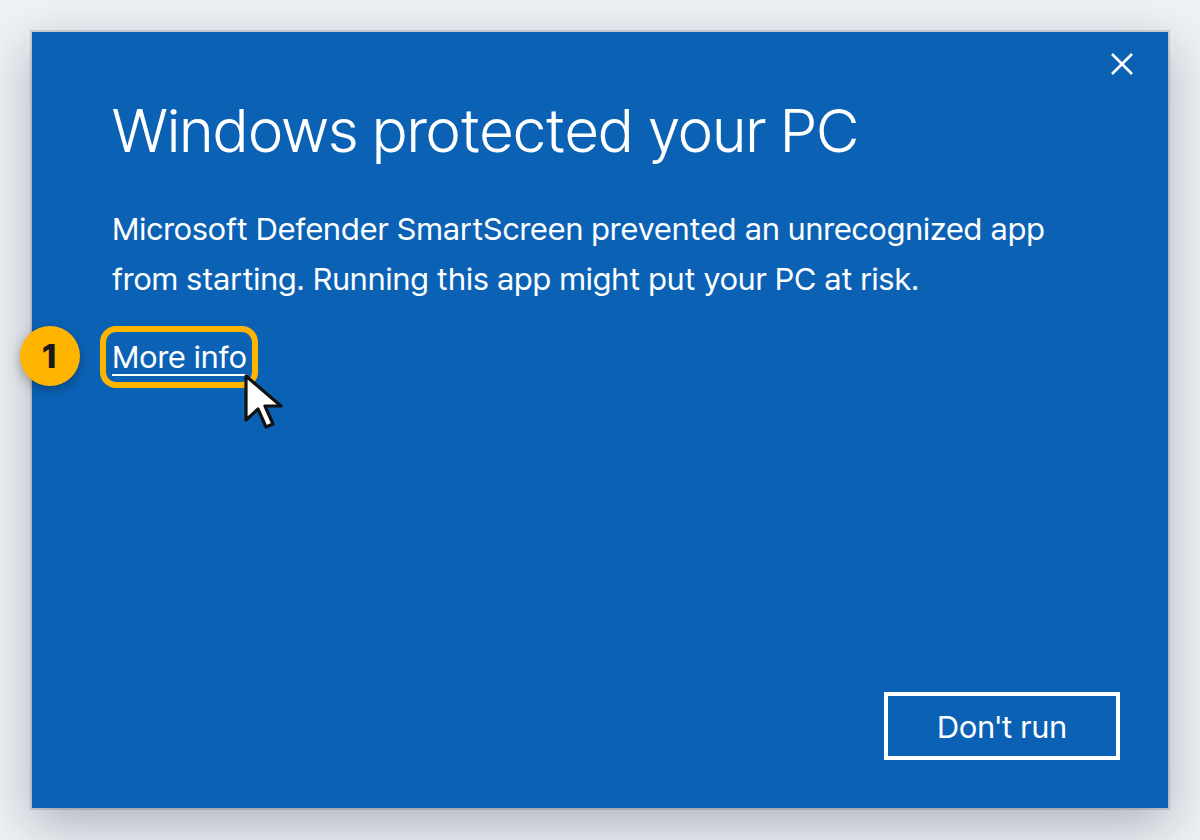
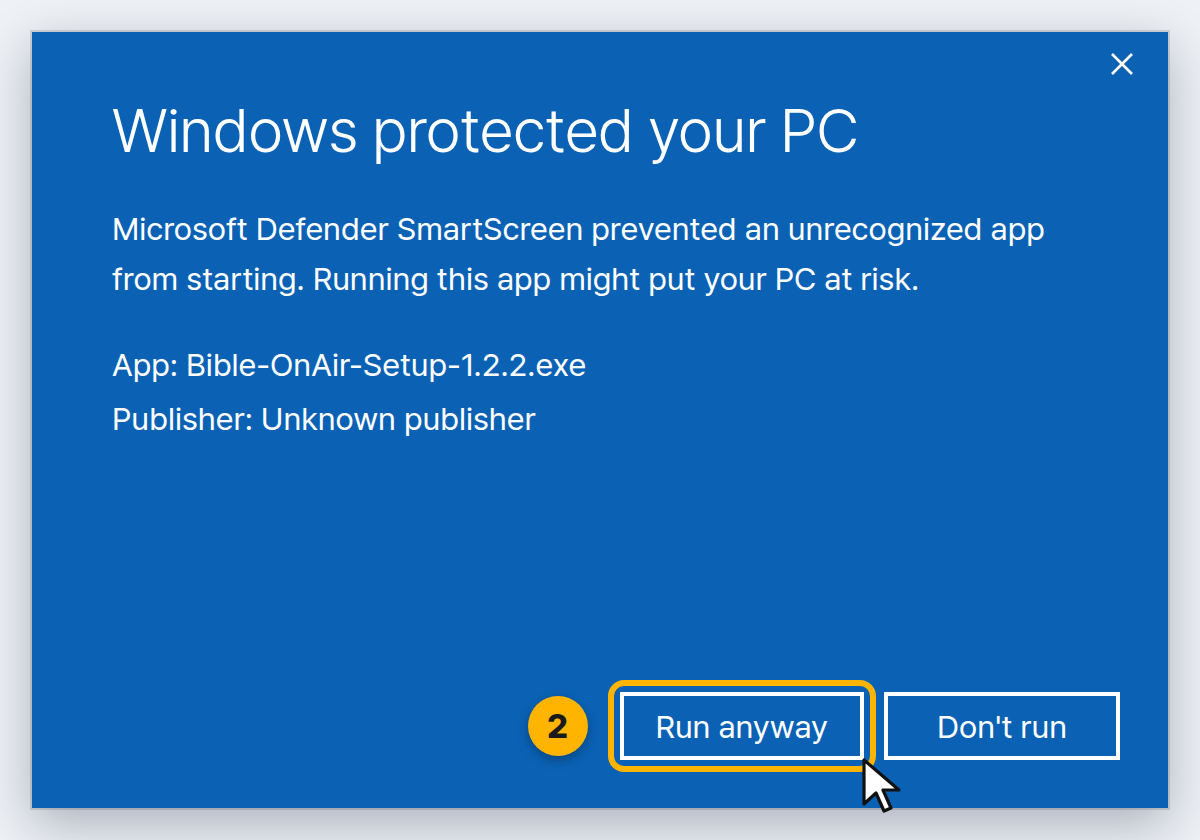
Windows shows an "unrecognised app" warning.
The program is safe to install. This is an early release and code signing is still being registered, so Windows blocks it temporarily. [How to install] Click [More info] in the warning dialog, then press the [Run anyway] button that appears.
Is there a macOS or Linux build?
Bible OnAir currently supports Windows only. Support for further platforms is under review.
My projector is not in the monitor list.
Check whether the display setting is set to "Duplicate". In duplicate mode Windows sees a single monitor, so the projector does not appear in the list. Right-click the desktop ➔ [Display settings], or press Win + P, and switch the mode to [Extend].